git-bug: a quick HOWTO
Published by Arun Isaac on
In other languages: தமிழ்
git-bug is a distributed offline-first issue tracker that stores its data in the git object database itself. I recently packaged it for Guix and have been trying it out. I use git-bug’s native workflow. Here’s how to get started:
Get git-bug with guix shell
Get git-bug using guix shell as usual.
guix shell git-bug
Create a new git-bug user
git-bug has its own user identities separate from git, GitHub or any other forge. And, in order to interact with git-bug, a user is required. So, we first create a new user.
git bug user new
Fire up the web UI to create issues
Then, we create issues in git-bug. git-bug has a CLI, a TUI and a web UI. We go with the web UI since it is immediately familiar.
git bug webui
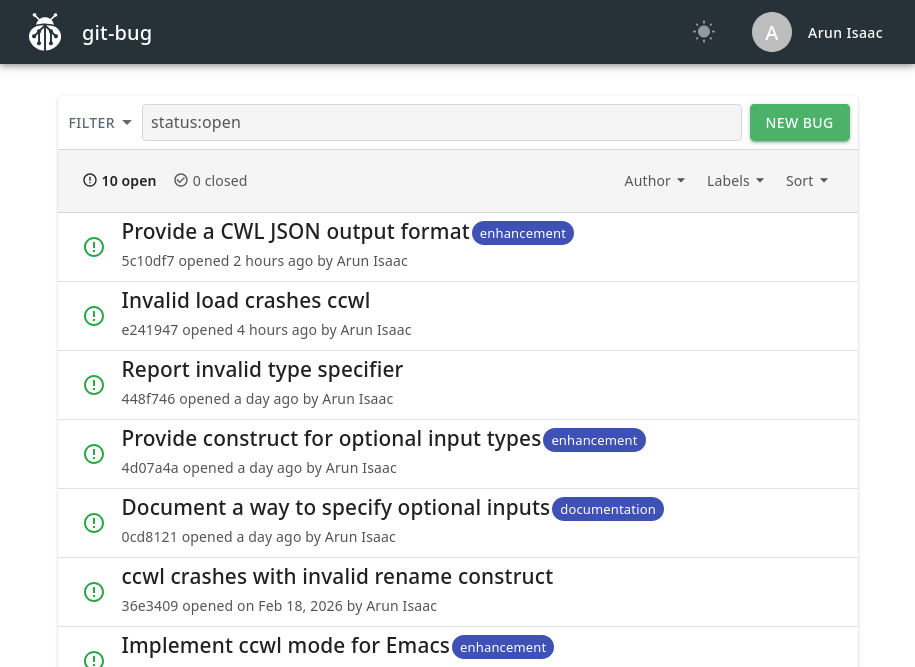
Push to remote
Finally, once we are done creating issues, we push to the remote. git bug push is distinct from git push, and you have to do it separately.
git bug push
Pull from a different machine
Your collaborators can now git bug pull to fetch the latest issues. You can quickly simulate this yourself with a fresh clone of your repo somewhere. The first time around, you (or your collaborators) have to create a new git-bug user. Then, you run git bug pull followed by git bug webui to interact with the issues.
git bug user new
git bug pull
git bug webui
 All content is licensed under a